
Angular – Component Libraries

The new Angular(can’t call it Angular 2 anymore) ecosystem is still evolving. Control libraries start to appear.

Here are some of the libraries I had a look at:

(Don’t ask me which one I prefer, as with all control libraries they have their pros and cons you’ll have to learn to live with…)

Angular Material

Material Design components for Angular apps https://material.angular.io/

Remark: The Angular Material library for Angular >=2 is still rather limited. Don’t confuse it with the Angular 1 variant at https://material.angularjs.org/latest/.

image.

NG-Lightning

Native Angular components & directives for Lightning Design System http://ng-lightning.github.io/ng-lightning/#/

Created by the Salesforce’s guys on top of Angular and Salesforce's Lightning Design System.

image

TERADATA Covalent

Covalent(https://teradata.github.io/covalent/#/) is a UI Platform that combines proven design language with a comprehensive web framework, built on Angular & Angular-Material (Design).

image

PrimeNG

PrimeNG(https://www.primefaces.org/primeng/) is a collection of rich UI components for Angular 2. PrimeNG is a sibling of the popular JavaServer Faces Component Suite, PrimeFaces.

image

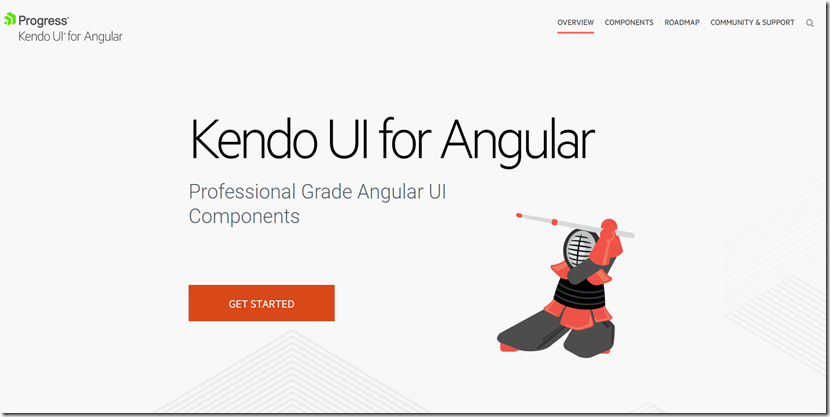
Kendo Angular UI

Professional Grade Angular UI Components http://www.telerik.com/kendo-angular-ui/
image

Popular posts from this blog

Podman– Command execution failed with exit code 125

After updating WSL on one of the developer machines, Podman failed to work. When we took a look through Podman Desktop, we noticed that Podman had stopped running and returned the following error message: Error: Command execution failed with exit code 125 Here are the steps we tried to fix the issue: We started by running podman info to get some extra details on what could be wrong: >podman info OS: windows/amd64 provider: wsl version: 5.3.1 Cannot connect to Podman. Please verify your connection to the Linux system using `podman system connection list`, or try `podman machine init` and `podman machine start` to manage a new Linux VM Error: unable to connect to Podman socket: failed to connect: dial tcp 127.0.0.1:2655: connectex: No connection could be made because the target machine actively refused it. That makes sense as the podman VM was not running. Let’s check the VM: >podman machine list NAME         ...

Azure DevOps/ GitHub emoji

I’m really bad at remembering emoji’s. So here is cheat sheet with all emoji’s that can be used in tools that support the github emoji markdown markup: All credits go to rcaviers who created this list.

VS Code Planning mode

After the introduction of Plan mode in Visual Studio , it now also found its way into VS Code. Planning mode, or as I like to call it 'Hannibal mode', extends GitHub Copilot's Agent Mode capabilities to handle larger, multi-step coding tasks with a structured approach. Instead of jumping straight into code generation, Planning mode creates a detailed execution plan. If you want more details, have a look at my previous post . Putting plan mode into action VS Code takes a different approach compared to Visual Studio when using plan mode. Instead of a configuration setting that you can activate but have limited control over, planning is available as a separate chat mode/agent: I like this approach better than how Visual Studio does it as you have explicit control when plan mode is activated. Instead of immediately diving into execution, the plan agent creates a plan and asks some follow up questions: You can further edit the plan by clicking on ‘Open in Editor’: ...